Article · 9 min read
How to Improve Typing Speed in 30 Days: A Step-by-Step Guide
By TypeMasterSpeed Editorial · April 21, 2026
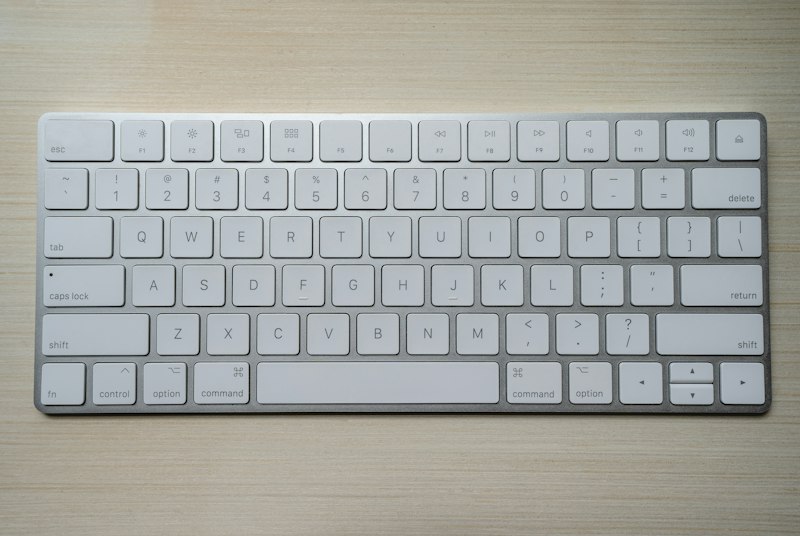
In the digital era, typing proficiency isn't just desirable — it's a competitive skill that pays dividends in the workplace. Whether you're a student or a remote worker who types every day, speed and accuracy together create a serious time advantage. The good news: meaningful improvement happens in weeks, not months. With a focused 30-day plan, anyone can level up their typing.
Understanding Typing Speed
Before drilling techniques, it helps to know the landscape. The average person types around 40 WPM, while professionals push 70–100+ WPM. The faster you type, the less mental overhead is spent hunting for keys — your fingers catch up to your thoughts, and writing becomes smoother and more enjoyable.
Posture and Setup
Physical setup is one of the most overlooked factors. Wrists slightly raised, screen at eye level, back straight — these prevent fatigue and protect you from injury during long sessions. A comfortable ergonomic keyboard helps too: if your hands strain or your desk is too high, no amount of practice will fix the resulting bottleneck.
Week 1: Touch Typing and the Home Row
Touch typing — typing without looking at the keys — is non-negotiable for real speed. It builds the muscle memory that lets the keys be pressed without conscious thought. Anchor your hands on the home row (ASDF for the left, JKL; for the right) and spend the first week learning which finger controls which key. Don't chase speed yet; focus on placement and correctness. Free programs like TypingClub, Keybr, or Typing.com provide structured lessons, and 15–20 minutes a day is enough to build the foundation.
Track Progress With Online Tests
Take periodic typing tests on 10FastFingers or Monkeytype to measure WPM and accuracy. Test at the start and end of each practice block. Even small visible gains are powerful motivators on days when progress feels invisible.
Week 2: Expanding to the Full Keyboard
By the end of week one the home row should feel automatic. Now branch out to the top row (Q, W, E, R, T…) and bottom row (Z, X, C, V…), and start integrating numbers and punctuation into daily drills. Most writers neglect these areas, which creates inconsistent speed across special characters.
Practice on Real Text
Drills matter, but real text matters more. Practice typing passages from books, blog posts, or news articles to expose yourself to authentic vocabulary, punctuation, and sentence rhythm. Manually transcribing podcasts or YouTube videos adds an auditory dimension and mirrors real typing tasks better than any typing game.
Week 3: Speed Sprints and Confidence
Week three is where things click. Finger placements are mostly automatic; focus shifts from learning to doing — faster, longer, more confident typing. Add speed sprints: 30–60 second bursts of fast typing followed by short breaks. Repeated over time, sprints push your finger speed ceiling without sacrificing technique.
Things That Slow You Down
Two big traps: sacrificing accuracy for speed, and looking at the keyboard. Errors made under speed pressure reinforce bad habits that are painful to unlearn. Looking down breaks muscle memory development entirely. Fix both by slowing down to be correct, and by covering your hands with cloth or using a blank keycap keyboard.
Keyboard Shortcuts
Real-world typing speed isn't only WPM — it's also keyboard shortcuts. Ctrl+C, Ctrl+V, Ctrl+Z and friends keep your hands on the keys and your momentum going. Professional typists and developers know their shortcuts cold. Learning even a handful makes a noticeable difference from day one.
Week 4: Consistency and Real-World Use
The final week is about applying everything in real tasks: emails, reports, messages to colleagues. Use this week to refresh weak patterns too — if specific letter combinations like ‘tion', ‘ing', or ‘the' are giving you trouble, drill them directly so your overall typing becomes smoother.
Apps and Tools
Plenty of tools support structured, fun practice — TypingClub, Nitro Type (a racing-style trainer), Ratatype (with completion certificates), TypeRacer, and Z-Type for game-style drills. The best platform is the one you'll come back to consistently.
Staying Motivated for 30 Days
Sustaining a routine for a month is harder than starting one. Set weekly micro-goals (for example, hit 50 WPM by end of week two) so progress feels visible. Online communities and forums focused on typing improvement help too — comparing notes makes the work less solitary and more rewarding.
Beyond 30 Days
After 30 days the real work begins. Skills fade without practice, but the good news is everyday computer use is practice once your technique is correct. To reach 80, 90, or 100+ WPM, keep weekly focused sessions on the calendar. The curve flattens after a month, but consistent effort keeps the gains coming.
Conclusion
Becoming a faster typist in 30 days is absolutely achievable. It's not about whether meaningful progress is possible in a month — it's about how. A keyboard, a real commitment to the process, and the willingness to build one habit at a time are all it takes. Thirty days from now the results show up word by word, keystroke by keystroke.